
Download Sign It! – Secure PDF Signing, Fill & Stamp Tool
Overview – Why Sign It! Is the Go‑to PDF Signing App
In today’s fast‑paced business environment, printing, signing, scanning, and emailing PDFs can feel like a relic from the pre‑digital era. Sign It! – Fill & Sign PDFs eliminates that friction by turning your mobile device or desktop into a fully‑featured PDF signing studio. Whether you’re a freelancer needing a quick signature on a contract, a sales professional sending proposals, or a small business owner authorising invoices, Sign It! offers a cheap, secure, and intuitive way to stamp, annotate, and sign PDFs without ever touching paper.
The app’s core promise is simplicity: a drag‑and‑drop interface lets you place signatures, dates, stamps, or custom text anywhere on a document with a single tap. Once the document is ready, you can either save it locally or send it directly via email, cloud storage, or a shareable link. Security is baked in – signatures are encrypted, and the app complies with common e‑signature standards, ensuring that your documents remain tamper‑proof and legally admissible.
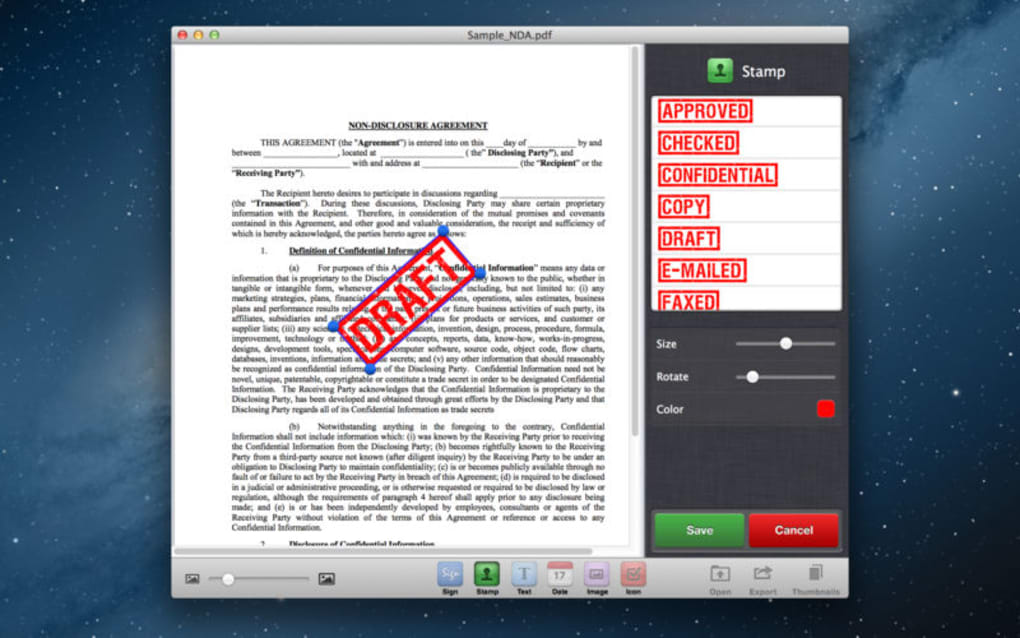
Beyond basic signing, Sign It! includes useful extras such as a built‑in date/time stamp, a library of pre‑designed stamps (approved, paid, draft, etc.), and freehand annotation tools for highlighting or adding notes. The app also supports multiple signature styles, letting you draw a signature with your finger, import an image, or use a typed script that mimics your handwritten style. All of this is packaged in a lightweight, cross‑platform solution that works on Windows, macOS, Android, and iOS, making it a versatile companion for any device you use to manage documents.
Key Features – What Sign It! Brings to Your Document Workflow
- Digital Signature Capture – Draw, import, or type your signature; the app stores it securely for repeated use.
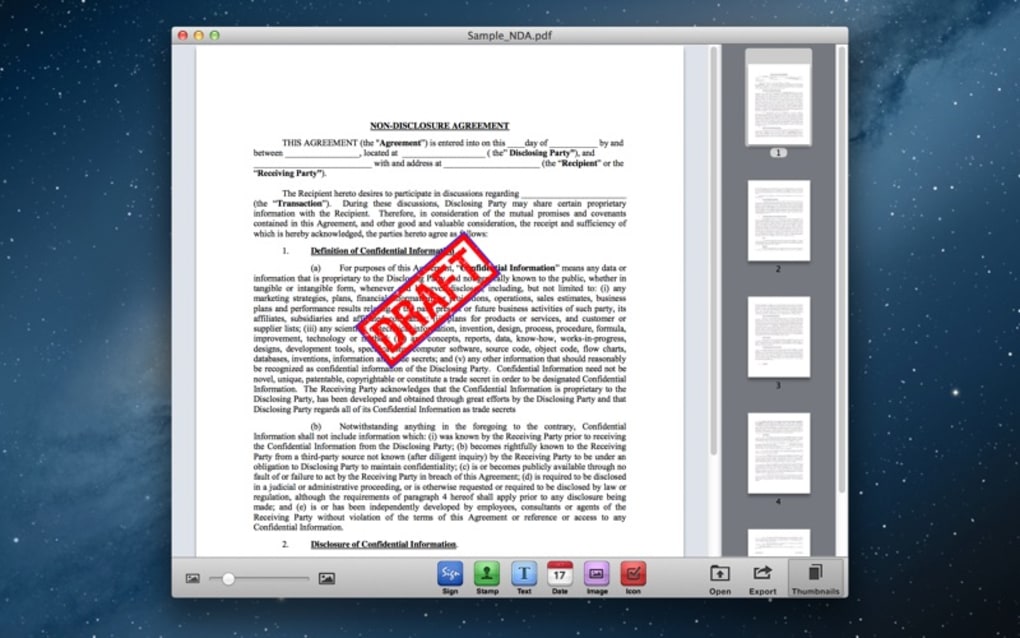
- Drag‑and‑Drop Stamps & Annotations – Place “Approved”, “Paid”, “Draft”, or custom stamps anywhere on a PDF with a single tap.
- Date/Time Insertion – Add an automatic or manual date‑time stamp to mark when a document was signed.
- Freehand Highlighting & Commenting – Use pen or highlighter tools to underline, circle, or add notes directly on the page.
- One‑Tap Sharing – Send the signed PDF via email, generate a shareable link, or save to Google Drive, Dropbox, and other cloud services.
- Cross‑Platform Compatibility – Available on Windows, macOS, Android, and iOS, with seamless syncing of signatures across devices.
- Secure Encryption – All signatures and edits are encrypted at rest and in transit, meeting industry‑standard e‑signature compliance.
- Batch Processing (Pro) – Apply the same signature or stamp to multiple PDFs in one go, saving time for high‑volume users.
Each feature is designed to reduce the friction of traditional document signing. For example, the date/time insertion eliminates the need to manually type the date, while the stamp library provides instantly recognisable visual cues that a document has been reviewed or approved. The freehand annotation tools are especially handy for legal professionals who need to highlight clauses or add marginal notes without re‑creating the document in a word processor.
Sign It! also respects privacy. Your signature image is stored locally on your device, and optional cloud backup is encrypted end‑to‑end. This means you retain full control over who can see or use your signature, a crucial consideration for businesses handling sensitive contracts.
Installation & Usage – Getting Started on Every Platform
Windows & macOS
Download the desktop installer from the official website or the Microsoft Store/App Store. The installer is a lightweight .exe (Windows) or .dmg (macOS) file under 30 MB, making the download fast even on modest connections. Once launched, follow the guided setup: accept the license agreement, choose the installation folder, and click “Install”. After installation, the app appears in your start menu or applications folder.
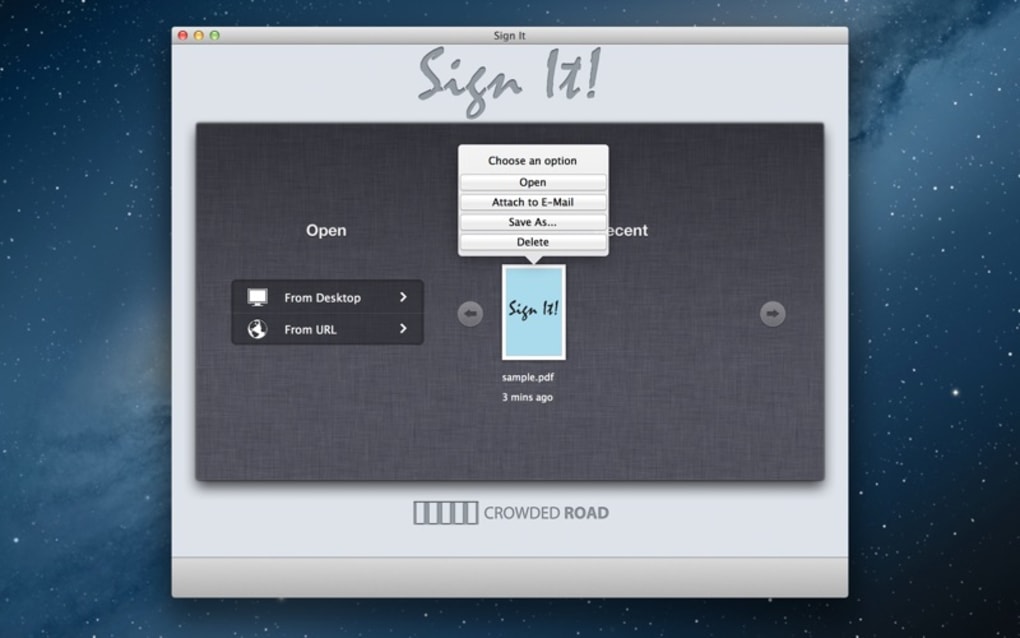
To sign a PDF, simply drag the file onto the Sign It! window or use the “Open File” button. The intuitive toolbar at the top lets you select the signature tool, choose a stamp, or add a date. After placing the elements, click “Save” to store the signed PDF locally or “Share” to email it directly. The desktop version also integrates with Windows Explorer and macOS Finder via a right‑click context menu, allowing you to sign documents without opening the main app.
Android & iOS
On mobile devices, the app is available for free on Google Play and the Apple App Store. Search for “Sign It! – Fill & Sign PDFs”, tap “Install”, and wait a few seconds for the download (the APK or IPA is under 25 MB). Once installed, grant the app permission to access your files and camera – the camera permission is optional but useful for scanning paper signatures.
Open the app, tap the “+” button, and select a PDF from your device storage, email attachment, or cloud service. The same drag‑and‑drop interface works with touch gestures: pinch to zoom, tap to place a signature, and use the toolbar at the bottom to switch between stamps, date, and annotation tools. When you’re satisfied, hit the “Export” button to save the signed file or choose “Send” to email it directly from your phone.
Compatibility & System Requirements
Sign It! runs on Windows 10 or later, macOS 10.13 (High Sierra) or later, Android 6.0 (Marshmallow) and up, and iOS 12 or newer. The app requires at least 200 MB of free storage for installation and temporary files. It supports PDF versions up to 1.7 and can handle documents up to 100 MB without performance degradation.
Because the app is built with native frameworks for each platform, you’ll notice smooth scrolling, quick rendering of large PDFs, and responsive touch controls on mobile. Updates are delivered automatically through the respective app stores, ensuring you always have the latest security patches and feature enhancements.
Pros and Cons – A Balanced Look at Sign It!
Pros
- Intuitive drag‑and‑drop interface makes signing fast for beginners.
- Cross‑platform support ensures you can work on any device.
- Secure encryption protects signatures and edited documents.
- Rich stamp library and date/time insertion add professionalism.
- One‑tap sharing saves time and reduces email attachment errors.
- Batch processing (Pro version) streamlines high‑volume workflows.
Cons
- Free version limits the number of custom stamps you can create.
- No built‑in OCR for converting scanned images into editable PDFs.
- Advanced PDF editing (e.g., form field creation) requires a separate tool.
- Cloud backup is optional and requires a subscription for encrypted storage.
Overall, the advantages outweigh the drawbacks for most users. The limitations mainly affect power users who need extensive PDF editing beyond signing and stamping. For everyday business tasks, Sign It! offers a solid blend of functionality, security, and ease of use.
Frequently Asked Questions
Is Sign It! legally binding for electronic signatures?
Yes. Sign It! complies with e‑signature standards such as ESIGN and eIDAS, providing encrypted, tamper‑evident signatures that are recognized in most jurisdictions for contracts, agreements, and official forms.
Can I use Sign It! without an internet connection?
Absolutely. All core features—including signature capture, stamping, and PDF saving—work offline. Internet is only needed for cloud backup or sending the signed document via email.
How does the app protect my signature from unauthorized use?
Signatures are stored encrypted on your device. If you enable cloud backup, the data is encrypted end‑to‑end with a password you set. The app also offers a PIN or biometric lock to prevent others from accessing your signature library.
Is there a free trial for the Pro features?
Yes. New users receive a 7‑day free trial of the Pro tier, which includes batch processing, unlimited custom stamps, and encrypted cloud backup. After the trial, you can continue with the free version or purchase a subscription.
Can I import an existing signature image?
Sure. The app lets you import PNG, JPG, or SVG files as signature assets. You can also capture a signature with your device’s camera and automatically convert it into a clean, vector‑based stamp.
Conclusion – Ready to Sign Your Documents Digitally?
Sign It! – Fill & Sign PDFs brings the power of professional document signing to any device, removing the need for paper, scanners, or bulky desktop software. Its clean drag‑and‑drop interface, robust security, and cross‑platform availability make it a compelling choice for freelancers, small businesses, and even larger enterprises looking for a lightweight e‑signature solution.
If you’re tired of printing contracts only to lose a pen, or you need a fast way to add timestamps and stamps to invoices, this app delivers exactly what you need. The free version already covers the essentials, while the Pro upgrade unlocks advanced batch processing and unlimited custom stamps for power users. Download Sign It! today, secure your workflow, and start signing documents with confidence.
Take the next step: click the download button below, install the app on your preferred device, and experience a faster, greener way to authorise PDFs.







